PPF Plotter Compatibility Checklist for Wholesale Buyers
PPF plotter compatibility should be checked before a distributor commits to bulk film, not after an installer discovers that a roll cannot run through the shop’s equipment. A familiar roll width or a successful vinyl job does not prove that a particular TPU paint protection film, liner and pattern workflow will work together.
This checklist helps wholesale buyers qualify the combination of film, machine and software. Use it alongside the PPF sample order checklist, then record the results for the exact model and batch. It is a purchasing workflow, not a universal cutting recipe.
1. Separate Roll Width from Usable Cutting Width
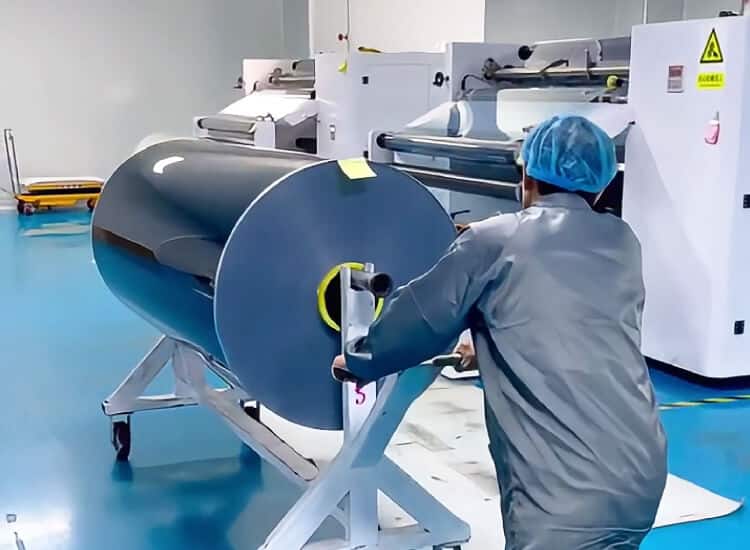
Start with the actual supplied width, not only a nominal inch description. ELOV’s listed standard roll format for the referenced PPF ranges is 1.52 m x 15 m; confirm the selected model and any alternative size before ordering. Check Clear PPF specifications or Color PPF specifications rather than assuming every product has identical construction.
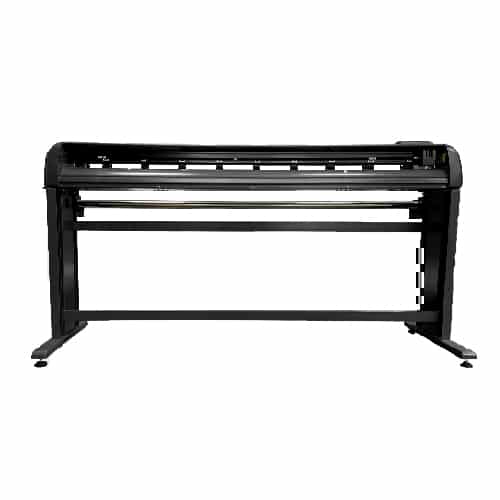
A cutter’s loading capacity and cutting area are different specifications. For example, the Graphtec FC9000 specification lists mountable media width separately from maximum cutting area and guaranteed-accuracy conditions. That distinction matters even when a roll physically fits. It does not establish approval for a particular ELOV film.
Ask the operator to confirm usable width after the required roller positions and margins. Compare that space with the widest pattern piece and any intended edge extension. Check roll diameter and weight limits as well.
2. Identify the Complete Film Construction
Record the PPF model, finish, functional film thickness and liner information. Do not confuse a thickness that includes removable protective layers with the thickness the blade must cut. Ask the film supplier how any protective cap should be handled during plotting; do not remove or retain it simply because another product used a different workflow.
Use the PPF model comparison to shortlist products, but qualify each chosen model on the intended equipment. A setting that works on one clear film is not evidence for every matte, color or thicker film.
3. Check Pattern Software Before Cutting Inventory
Confirm the software supports the exact cutter and the required output connection. Check the vehicle’s model year, body style, market variant and selected panels in the pattern library. A similarly named vehicle is not enough to confirm a pattern.
Review scale, orientation, panel identification, edge allowances and any installer modifications before sending the job. Keep a record of the software version and pattern revision used in the trial. Film supply alone does not mean pattern access, software subscriptions or cutter support are included.
4. Run a Small, Documented Cutting Trial
Start with the machine’s own test procedure
Follow the equipment manual and film supplier guidance using a small sample first. The Roland cutting-test instructions explain checking the cut shapes and the marks on the carrier before adjusting conditions. Use that principle to assess the result; do not copy settings from an unrelated machine.
For a liner-backed PPF workflow, check whether the film separates cleanly while the liner remains suitable for handling. Look for incomplete cuts, lifted corners, distorted small features and excessive liner penetration. Record blade type and condition, extension, force, speed and offset as applicable. This article does not prescribe universal numerical settings.
Then test a representative pattern
A small test shape does not establish long-pattern tracking. After the initial cut is acceptable, test a representative panel with the machine’s recommended loading and feeding procedure. Check dimensions at multiple points, weeding, lifting and handling. Have the intended installer evaluate the cut sample before approving production quantities.
5. Separate Machine Setup from Film Problems
If the trial fails, stop and identify the failure before changing several settings together. Check the blade and holder, cutting strip, loading alignment, roller placement, media path and software scaling. Then examine the film and liner against the agreed specification.
Keep photos, the sample identification and the cutting record. Change one variable at a time where practical. A failed job is not automatically a film defect, just as a successful test on one machine is not proof of universal compatibility.
6. Include Compatibility Evidence in the Purchase Decision
Create a short approval record covering the film model and batch, roll dimensions, cutter model, software version, pattern identification, settings and operator. Attach photos of the cut and liner, dimensional observations and installer feedback. Define which changes require another trial rather than relying on a message saying the material is “plotter compatible.”
For ELOV orders, samples start at 1 roll, standard product orders start at 20 rolls, and OEM packaging or private-label custom orders start at 100 rolls. Mixed models are supported, subject to confirmation of the selection and availability. Review the sample and MOQ guide before planning the evaluation quantity.
FAQ
Will a 1.52 m PPF roll fit every 60-inch cutter?
No. Check the exact machine’s mountable width, usable cutting area, loading requirements, roll diameter and weight limits. The machine’s nominal size alone does not answer the question.
Can I use my vinyl settings for TPU PPF?
Do not assume they transfer. Follow the equipment and film guidance, run a small trial, and inspect the film and liner before a full pattern.
Does a clean test cut prove complete compatibility?
No. Also check representative-pattern tracking, dimensional accuracy, software output, liner handling and installer feedback for the actual workflow.
What should I send ELOV before requesting samples?
Send the intended film model, roll size, cutter and software details, planned application, sample quantity, destination and OEM requirements. Include the specific compatibility question you need to evaluate.
Request Samples for Your Actual Cutting Workflow
Compare the selected film specification with the equipment requirements, then qualify a sample before building inventory. Contact ELOV PPF with your model shortlist and machine details to discuss sample availability and a wholesale quotation. Confirm material supply, software access and installation services separately.